Free video production brief template
A detailed three page brief: the basics and key contacts, the brief itself, the script and references, every deliverable with its full specs, and an approval page with version history and sign off.
Free. No sign up. Works in Word, Google Docs and Pages.
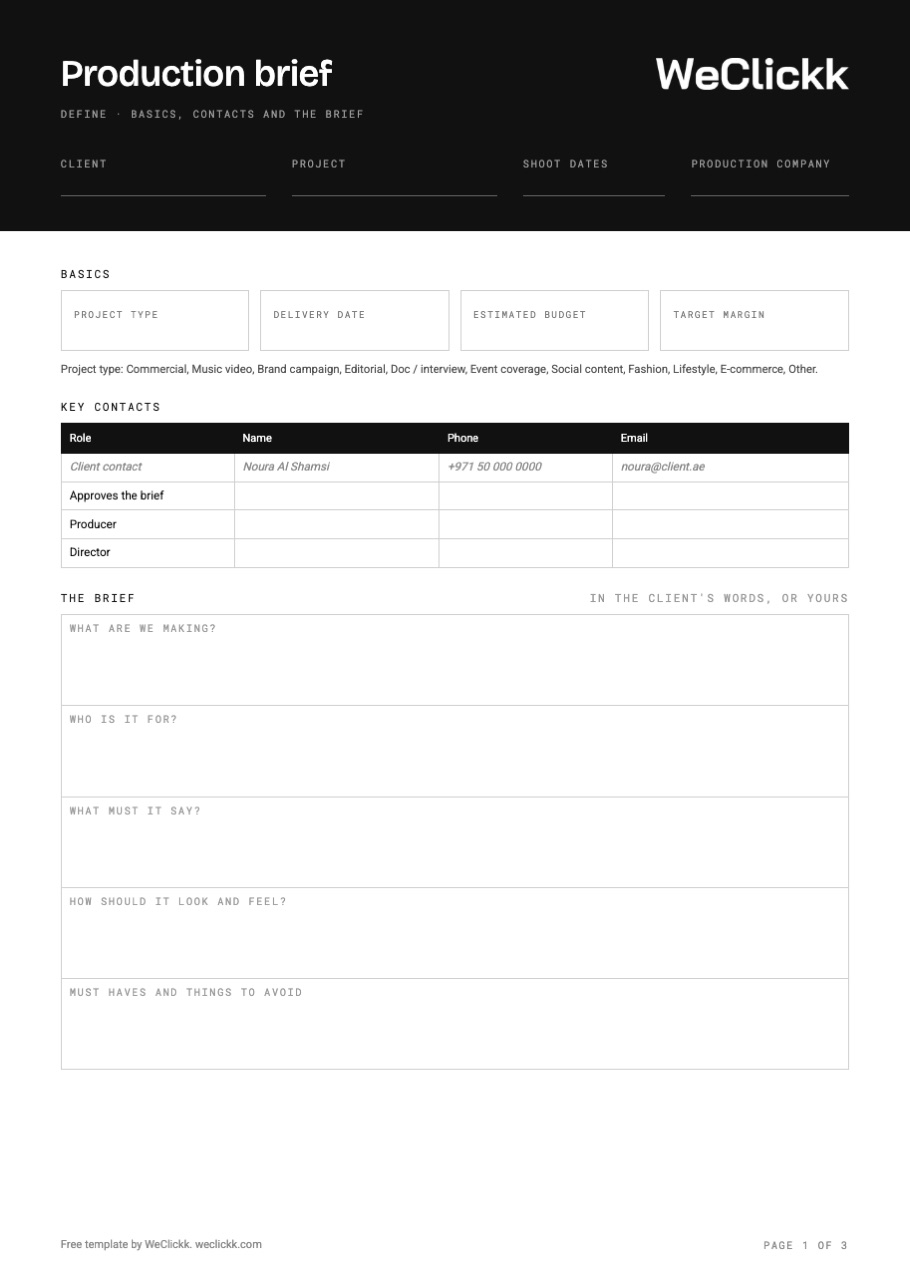
What goes in a video brief
A brief answers what the client wants, by when, for how much, and exactly what you hand back. The template has a place for each.
Client and project
Who it is for, the project name, the shoot dates and the production company.
Basics
Project type, delivery date, estimated budget and target margin, agreed before anyone books crew.
Key contacts
The client contact, who approves the brief, the producer and the director, with phone and email.
The brief
What you are making, who it is for, what it must say, how it should look and feel, and what to avoid.
Script and references
The script version, runtime and lock date, and every file and link with a clear label.
Deliverables
Every piece with type, where it runs, aspect ratio, resolution, frame rate, file format, colour space, length, quantity, due date and who delivers it.
Approval history
Every version you send: when it was sent, opened, and whether it was approved or sent back.
Changes and sign off
Which parts the client wants changed, then their name, role, signature and date.
How to write a video production brief
- Start from the client's wordsAsk for their brief first. Fill the template from it, then add what is missing.
- List every deliverableOne row per piece: a 60 second film and three 15 second cutdowns are four deliverables, not one.
- Pin down the specsAgree aspect ratio, resolution, frame rate and file format now. Changing them after the shoot costs time.
- Agree the budget and marginWrite down the estimated budget and the margin you need before you plan the shoot.
- Get it signed before you planSend it to the client and get a signature, or a clear list of changes, before you book anyone.
Send your brief for approval in WeClickk
In WeClickk the brief lives with the shoot. Attach the client's brief or write your own, add each deliverable with where it runs and its format, and send it to the client as a link. You see when they open it, and whether they approve or ask for changes.
- Attach the client's brief or write it in the app
- Deliverables with channels and format specs
- One link for the client to approve
- See when it is opened, approved or sent back
Video brief questions
What is a video production brief?
A video production brief is the document that says what a client wants made: the goal, the audience, the message, the look, the budget and every deliverable. It is the agreement the whole shoot is planned from.
Who writes the brief, the client or the production company?
Usually the client sends a creative brief, and the production company turns it into a production brief with deliverables, specs, dates and budget. This template works for both.
What should a deliverables list include?
For each piece: a title, video or still, where it will be used, aspect ratio, resolution, frame rate, file format, length, quantity and due date.
Why get the brief signed?
A signed brief is your reference when the client asks for something new after the shoot. Changes to a signed brief are new work, and the signature makes that clear.
Can I edit the template?
Yes. Download the Word file and open it in Word, Google Docs or Pages.
Get the free brief template
Print the PDF, or edit the Word file for your next job.