Free video production budget template
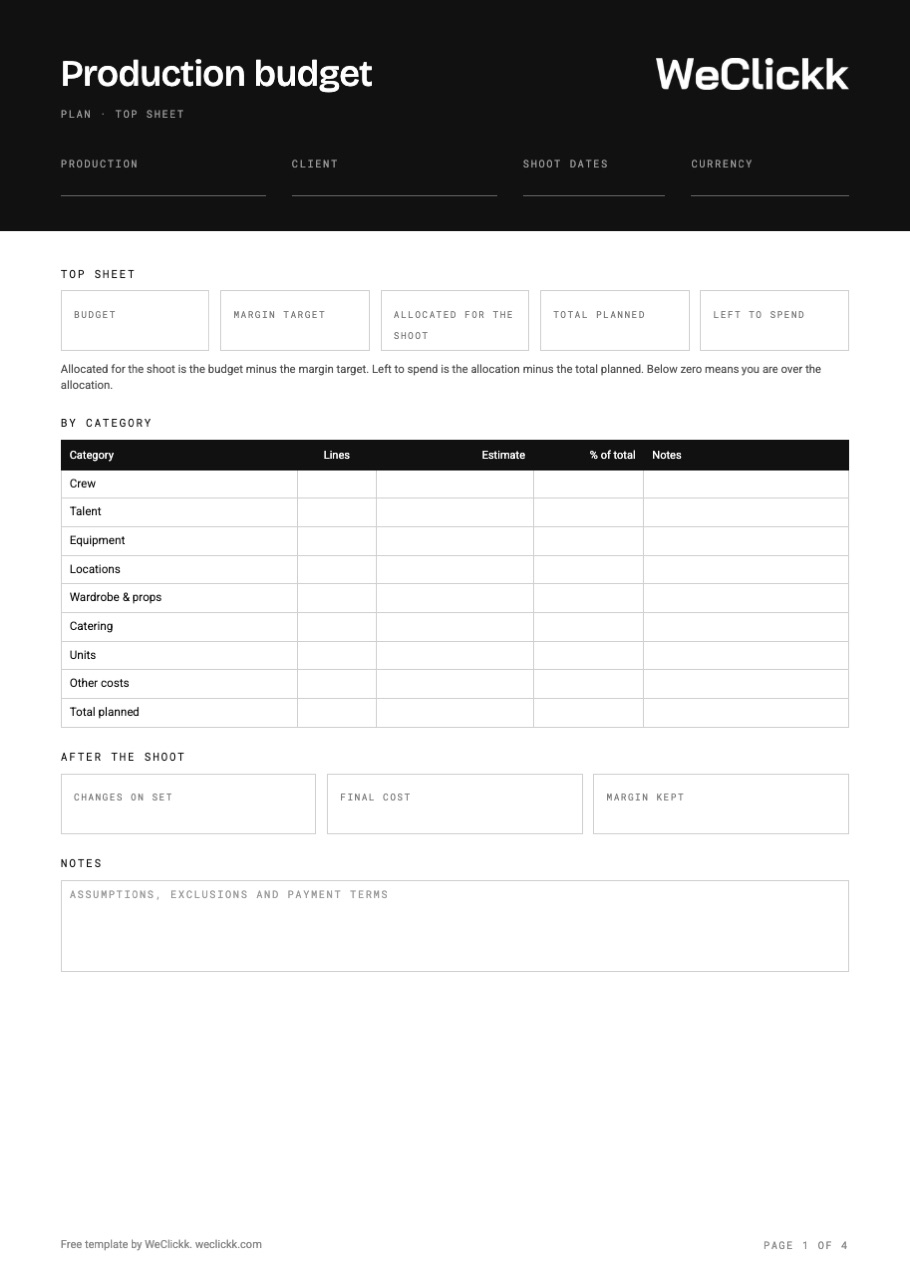
A detailed four page budget with the same categories as WeClickk: a top sheet with your margin and what is left to spend, lines for every category, and a log of changes on set with the final cost.
Free. No sign up. Works in Excel, Google Sheets and Numbers. The spreadsheet adds it all up.
What goes in a production budget
A production budget shows what the shoot will cost and whether it leaves the margin you need. The template splits it the way WeClickk does.
Top sheet
Budget, margin target, allocated for the shoot, total planned and left to spend, on one page.
By category
Each category with its number of lines, estimate and share of the total.
Crew and talent
Each person with their rate, hourly or daily, how many days or hours, and notes.
Equipment and locations
Kit by the day, and locations per day, per hour or for a flat fee.
Wardrobe, catering and units
Wardrobe and props, meals per person per day, and units like vans or generators.
Other costs
Anything else, by name and amount: permits, insurance, travel.
Changes on set
Every change during the shoot: type, what changed, amount, who pays and who approved it.
After the shoot
Changes on set, final cost and the margin you actually kept.
How to make a video production budget
- Set the budget and the margin firstPut in what the client pays and the margin you need. The sheet shows what you can spend.
- Add every personList crew and talent with their real rates and the number of days or hours.
- Price the kit and locationsGet quotes for equipment and locations, and note if a price is per day or flat.
- Do not forget the small linesCatering, units, wardrobe and permits add up fast. Give each a line.
- Check left to spendIf it is below zero, cut days, crew or kit before the shoot, not after.
A budget that builds from your plan in WeClickk
In WeClickk the budget builds itself from your Plan. Add crew, talent, equipment, locations and units with their rates, and every line lands in the budget. You see your margin against target, and changes on set are logged from your phone.
- Lines come from your crew, talent, kit and locations
- Margin target and left to spend, always up to date
- Rates per hour, per day, per person or flat
- On set changes logged from your phone
Production budget questions
What is a video production budget?
A video production budget lists every cost of a shoot, from crew and talent to kit, locations and catering, and shows whether it fits what the client is paying.
What is a top sheet?
The top sheet is the summary page: the total by category, the budget, the margin and what is left to spend. Clients and producers read it first.
How much margin should I target?
It depends on your business and the job. Set it before you plan, so every cost is measured against what you can really spend.
Does the template include VAT?
No. Add tax as a line under other costs, or work it out on the final quote, depending on how you bill.
Can I use it in Google Sheets?
Yes. Download the Excel file and open it in Google Sheets, Excel or Numbers. The totals work in all three.
Get the free production budget template
Print the PDF, or edit the spreadsheet for your next shoot.